A Stray Line Symbol Drawing Practice
Build reliable strokes for real-time spell combat using pattern-recognition drills — honest scope, no fabricated complete glyph encyclopedia.
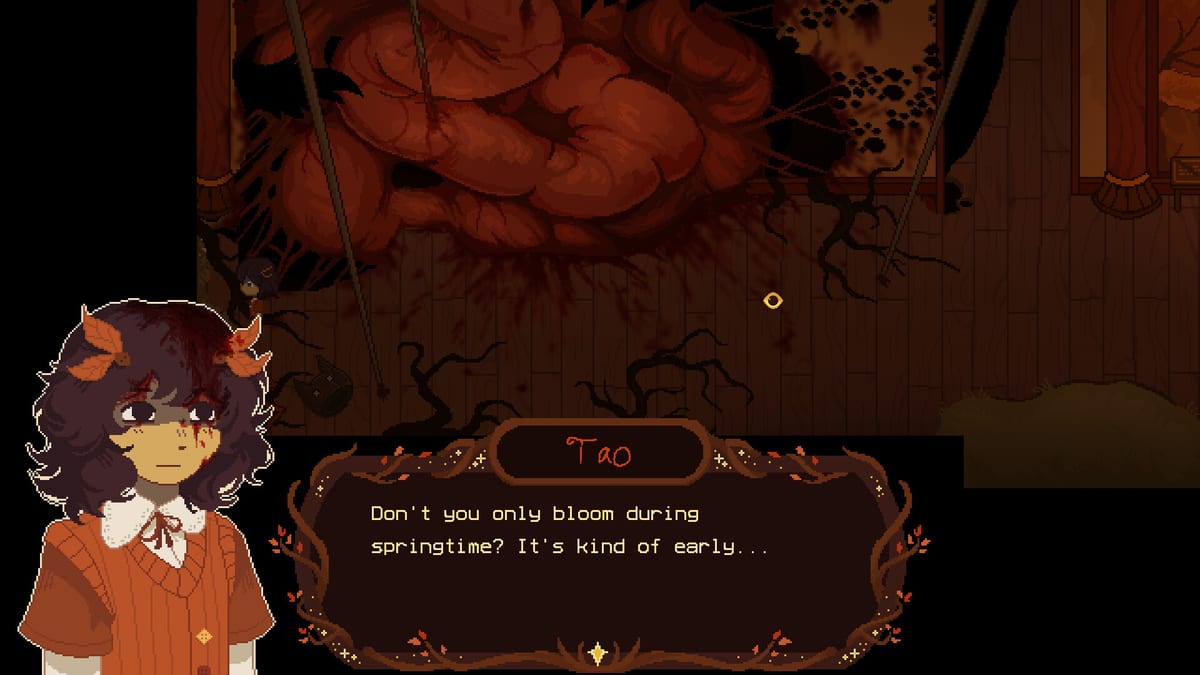
A Stray Line asks you to draw symbols in a notebook to cast spells, then uses the same skill in real-time combat when projectiles approach Taoyi Feng. Sprout Haven describes the loop on Steam: examine the world in point-and-click fashion, learn glyphs through story beats, and draw the symbols associated with incoming attacks to survive. Community posts from the developer have compared recognition to simple shape tests — for example, a star-shaped stroke triggering star-themed code — rather than grading museum-quality illustration.
This page teaches how to practice. It does not claim to list every symbol in Chapter 1 or the full four-chapter game. Shapes may be added, renamed in UI, or tuned in recognition tolerance before and after the August 2026 demo. Treat any third-party “complete symbol chart” with skepticism unless it matches what you see on your screen. Your personal screenshot log beats wiki guesswork.
What public sources actually confirm
Symbol practice canvas
Warm up circles, stars, and crosses. This is a training aid — not an official symbol list.
Try drawing a clean star or circle in one stroke.
From official store text and trailers we can rely on a few stable facts:
- Spellcasting is drawing-based, integrated with adventure exploration.
- Combat requires matching drawn symbols to threats in real time.
- Input supports mouse, touchscreen, and drawing tablets.
- Chapters include major boss encounters where pressure spikes.
We also know shapes behave like pattern recognition targets — closed geometry and readable corners matter. We do not have a verified public table mapping every projectile type to a canonical glyph name across all scenes. The Demo Checklist reminds you to log shapes as you encounter them.
Practice philosophy
Think of combat drawing as short-hand gesture memory, not art class homework.
Size: Draw at the scale the notebook UI expects — usually large, centered strokes. Micro-doodles at the corner of the pad fail more often than confident single motions.
Closure: Open circles and broken stars read as incomplete. Finish the loop even if you overshoot slightly.
Speed band: There is an optimal tempo between lazy tracing and frantic scribbling. Start slow in safe areas, then increase speed only when recognition stays consistent ten times in a row.
Telegraph first: Watch the incoming projectile or on-screen cue, name the shape in your head, then draw once deliberately. Panic multi-strokes register as noise.
Device honesty: If mouse feels bad for stars but pen feels good, switch before boss attempts — not mid-fight.
These principles align with how drawing-recognition minigames behave in other titles, adapted here to Sprout Haven’s stated notebook fantasy.
Drill set A — circles and loops
Circles appear in countless spell systems as shields, charges, or hold glyphs. Even if A Stray Line names them differently in UI, loop drills transfer.
- Draw ten clockwise circles, one breath apart, each closing within a finger-width gap.
- Draw ten counter-clockwise circles of similar size.
- Draw figure-eight loops slowly, then at combat speed.
- Practice a circle that starts and ends on the same point without a visible tail.
Pass criteria: Nine of ten strokes feel identical in size on your pad. If tails appear, slow down the last quarter of the arc.
Drill set B — stars and angular glyphs
Developer commentary has referenced star shapes as an example of “if the player draws this, run this code.” Stars are harder on mouse because they need five consistent points.
- Draw a five-point star using a single continuous line without lifting (classic pentagram path).
- Draw a simplified four-point star (plus sign with diagonal ticks) if your hand cramps.
- Practice an upward triangle followed by a downward triangle sharing a base — another common “star” variant in recognition engines.
- Hit each point in the same order every time; order drift confuses simple matchers.
Pass criteria: Corners are sharp enough to distinguish from circles, but not so spiky that strokes fragment.
Drill set C — lines, crosses, and simple runes
Many adventure spells reduce to straight segments: horizontal wards, vertical cuts, X-shaped counters. Without claiming these map 1:1 to demo content, they are worth ten minutes daily.
- Vertical line top-to-bottom, full pad height.
- Horizontal line left-to-right across the midline.
- Plus sign with perpendicular intersection near center.
- X from corner to corner without curving.
- Chevron (less-than shape) repeated left and right facing.
Pass criteria: Lines are straight enough that a ruler would lie flush; intersections meet within a small central box.
Drill set D — pressure scenarios
Once individual shapes pass, combine them like combat might:
- Circle, pause two seconds, star — ten reps.
- Star, pause, horizontal line — ten reps.
- Random callout from a friend (or dice roll) picking A/B/C shapes without telling you which is next.
- Play a trailer muted and draw whenever a notebook appears on screen — builds association with visual noise.
Link out to the Guides hub when you want narrative context for when spellcasting unlocks, not just how to move a pen.
Logging symbols honestly in your notebook
Create a personal table with columns: scene, on-screen name, your sketch, worked yes/no, notes. Do not copy wiki tables that pretend completeness. After the demo launches, community verification can fill gaps organically.
If two scenes use visually similar shapes with different labels, record both — recognition may depend on context the player cannot see.
Common failure modes
Too small: Shrink strokes until recognition fails; enlarge until success returns, then add ten percent margin.
Multi-stroke when one is expected: Some systems want a single continuous path; lifting the button mid-star resets recognition.
Wrong aspect ratio: A star stretched wide looks like a flattened blob; keep proportions near the tutorial example.
Input lag: V-Sync off, laptop on power, tablet driver updated — technical issues mimic skill issues.
Overtraining one shape: Boss phases may rotate projectile types; drill variety beats spamming one circle.
Accessibility and comfort
Drawing combat can exclude players with tremor or fine motor pain. Watch official channels for accessibility updates around demo launch. Until then, mouse sensitivity adjustments, larger UI scale, and pauses between waves (if offered) are worth testing early.
Take breaks during body-horror tension — mechanical frustration plus narrative stress compounds. The What to Expect page discusses tone so you can plan sessions.
What this page will not do
- Publish a fake complete symbol list labeled as verified demo content.
- Datamine or leak unreleased chapter glyphs.
- Guarantee identical recognition on all hardware — verify locally.
When Sprout Haven documents symbols officially, we will link that source and trim speculative language.
Related resources
- Demo Checklist — when to run these drills in a playthrough
- Tools Hub — all player aids in one place
- Walkthrough — scene-specific combat triggers once documented
- Gameplay hub — broader systems context as the wiki grows
Frequently Asked Questions
Quick answers drawn from what players ask most.
Is there an official complete symbol list for the demo?
Not in public materials we can cite. Practice generic shapes and log what the game teaches you. Avoid wikis that claim a full codex without demo proof.
How long should I practice before the first boss?
When you hit pass criteria on drills A and B at combat speed — usually twenty to forty minutes spread across the chapter — you are ready to attempt the boss with reconnaissance expectations.
Does drawing order matter for stars?
For many recognition systems, consistent vertex order helps. Match the stroke order shown in the in-game tutorial when available; our drills are generic until then.