A Stray Line Player Tools
Practical checklists and symbol-drawing drills built for Sprout Haven's Chapter 1 demo and drawing-based spell combat.
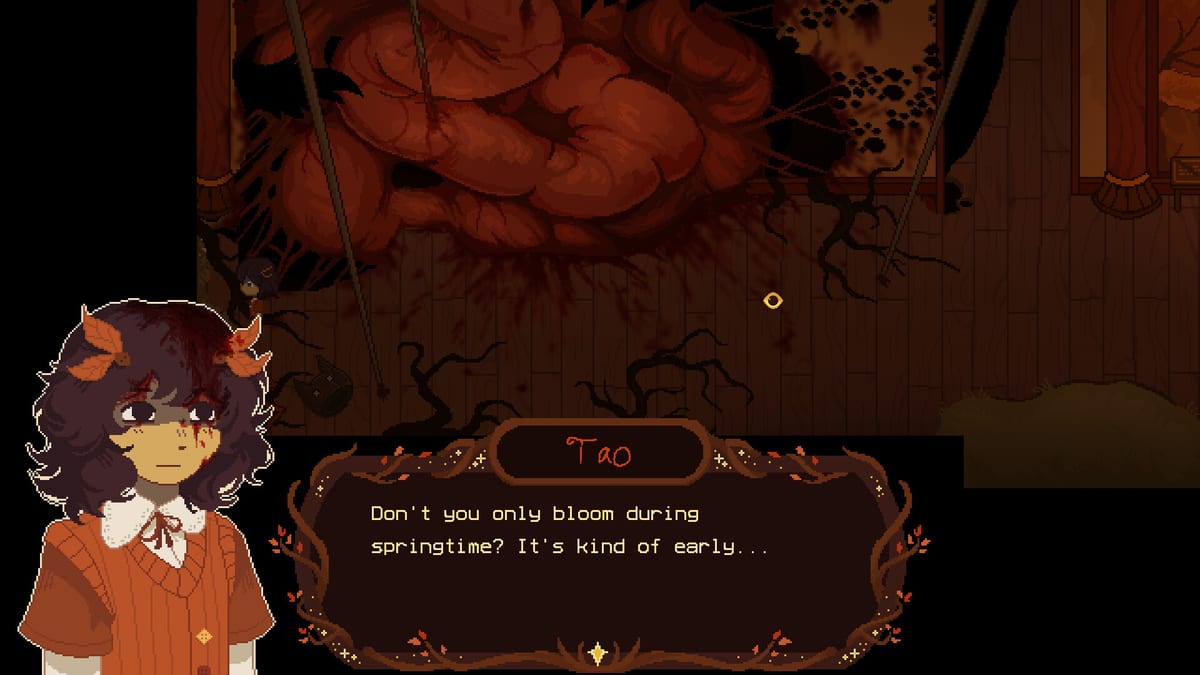
The Tools hub collects player-facing aids that sit outside a traditional walkthrough. A Stray Line is a point-and-click adventure from Sprout Haven where you explore autumnal woods, talk to a found family, and draw symbols in a notebook to cast spells during real-time combat. Chapter 1 arrives as a free demo in August 2026, ahead of the full four-chapter release on Steam. These pages are designed for that window: you wishlist the game, download the demo, and want structured prep instead of guessing what matters on day one.
Drawing combat is the skill gate most players will feel immediately. Projectiles fly toward Taoyi Feng during battle sequences, and the official Steam page states you must draw the symbols associated with them in real time to defend and counter. That is different from memorizing a static move list in a turn-based RPG. Success depends on muscle memory, readable strokes, and calm recognition under pressure. The tools here focus on those habits without pretending we have a leaked, complete symbol codex for every encounter.
What you will find in this hub
Three resources anchor this section today, and each one links outward to deeper wiki coverage when you are ready for narrative or mechanical detail.
Demo Checklist
The Demo Checklist is a copy-friendly list you can paste into notes or print. It walks through wishlist and notification setup, recommended settings and input checks (mouse, touchscreen, or drawing tablet), a sensible exploration order for a first blind playthrough, combat practice goals before you commit to a boss attempt, and a short Chapter 1 boss readiness block. It deliberately points you toward the Walkthrough when you want scene-by-scene routing and toward Guides for spellcasting fundamentals and puzzle logic.
Symbol Practice
The Symbol Practice page explains how to train for pattern-recognition drawing combat using only public information. Sprout Haven has described the system as recognizing drawn shapes — circles, stars, and simple glyphs — rather than pixel-perfect calligraphy. We do not publish a fake exhaustive in-game symbol table; the demo may introduce new shapes as chapters roll out. Instead, you get repeatable drills, stroke-order advice, and a honest note about what is confirmed versus what you should discover in play.
How tools relate to the rest of the wiki
Tools complement — not replace — narrative and systems writing elsewhere on astrayline.wiki. If you are deciding whether the game fits your comfort level, start with the Review hub and What to Expect. If you are tracking August 2026 timing, Kickstarter context, and install size, the Release hub and Demo Wishlist guide collect official channels. System Requirements lists Steam minimum specs for Windows and macOS so you can verify hardware before download day.
For community and storefront links without cluttering every page, the Links hub maps Steam, Kickstarter, Discord, and internal wiki sections in one place.
Who these tools are for
First-time adventure players benefit from the checklist because A Stray Line blends cozy exploration with mature themes and body horror. The demo is a reasonable on-ramp, but the Steam store carries a content warning for illustrated gore, dissociation, children in distress, death, and strong language. Tools help you batch technical setup separately from that emotional decision.
Artists and tablet users should read Symbol Practice even if you already draw daily. Game recognition windows are tighter than sketching on paper; the page explains sizing, closure, and speed without requiring expensive gear.
Speedrun or completion-minded players can treat the checklist as a pre-flight audit: confirm inputs, audio, and save expectations, then jump to the walkthrough for optimal routing once the demo is live.
Using the tools on demo day
When Chapter 1 unlocks on Steam, run the checklist top to bottom once. Wishlist notifications are irrelevant at that point, but the input and display steps still matter — especially if you switch from laptop trackpad to tablet mid-session. After the opening scenes, spend ten minutes in the first safe combat tutorial area repeating shapes named on screen before you push story flags that lock you into a boss.
Revisit Symbol Practice whenever a fight feels unfair. Often the issue is stroke size or hesitation, not a hidden rules change. Cross-check new glyph names against your own screenshot log rather than third-party lists that may be incomplete or outdated.
Limitations we are clear about
This wiki is unofficial. Sprout Haven may rebalance recognition tolerance, add accessibility options, or extend the symbol set without a public changelog per shape. Our tools describe methodology and publicly stated mechanics from the Steam store page and trailers, not datamined spoiler sheets.
If a tool page conflicts with in-game text after an update, trust the game UI and file a correction through the Discord community or update your local notes. We will revise wiki tools when official documentation catches up.
Quick links
- Demo Checklist — structured prep for Chapter 1
- Symbol Practice — drawing drills without a fake complete symbol list
- Walkthrough — scene order and puzzle solutions when you need them
- Guides — spellcasting and exploration fundamentals
- Release hub — dates, wishlist, and requirements
Frequently Asked Questions
Quick answers drawn from what players ask most.
Do I need a drawing tablet for A Stray Line?
No. Sprout Haven states the game supports keyboard and mouse, touchscreens, and drawing tablets. The Demo Checklist includes an input check step so you can confirm what feels best before combat.
Does Symbol Practice list every spell glyph in the demo?
No. We explain training methodology based on public pattern-recognition combat info. We do not claim a complete, verified symbol encyclopedia — discover and log shapes as you play.
When should I use the checklist versus the walkthrough?
Use the checklist before and during your first session for setup and combat readiness. Switch to the Walkthrough when you want specific scene order, puzzle steps, or boss phase notes.